
Affiliate disclosure: This review contains affiliate links. As an Amazon Associate, we earn from qualifying purchases at no extra cost to you. Learn more.
Let's be clear about what the ROG Xbox Ally X is and isn't. It is not an Anbernic competitor. It is not a budget device for playing SNES and GBA games on the couch. At $999 — nearly twenty times the cost of an RG35XX — it occupies an entirely different category. What it is is the most powerful handheld PC on the market, with a chip that chews through PS3, Switch, and Wii U emulation with headroom to spare, wrapped in the best grip ergonomics ever put on a handheld gaming device.
The "ROG Xbox Ally X" name reflects the deepened Microsoft partnership announced earlier this year. The hardware is unmistakably ASUS ROG; the Xbox Full-Screen Experience is baked in at the OS level. If you're a retro enthusiast who has ever looked at your Steam Deck and thought I wish this could do PS3 — this is that device. You'll pay for it. In money and in Windows 11.
✓ Pros
- • Best-in-class grip ergonomics — the most comfortable handheld ever made
- • AMD Ryzen Z2 Extreme crushes PS3, Switch, and Wii U emulation
- • 1080p 120Hz display — more pixels and higher refresh than Steam Deck OLED
- • 80Wh battery is the largest in any handheld PC — class-leading endurance
- • EmuDeck on Windows works — full emulator suite, Steam ROM Manager included
- • Xbox Full-Screen Experience provides a gamepad-optimized Windows launcher
- • Docks to any monitor or TV via USB-C — instant desktop replacement
- • Game Pass integration: your entire Xbox/PC library is native
- • Dual hall-effect thumbsticks — zero drift by design
- • Four mappable back buttons for save states and hotkeys
✗ Cons
- • $999 is a serious purchase — 18× the cost of an RG35XX
- • Windows 11 friction is real: updates, UAC prompts, driver management
- • 678g and not remotely pocketable — this needs a bag
- • Fan ramps audibly under PS3/Switch emulation load
- • IPS display can't match the Steam Deck OLED's contrast and black levels
- • Windows updates will interrupt your gaming at the worst possible moment
- • EmuDeck setup takes 45–60 minutes — more involved than budget handhelds
Specs
Technical Specifications
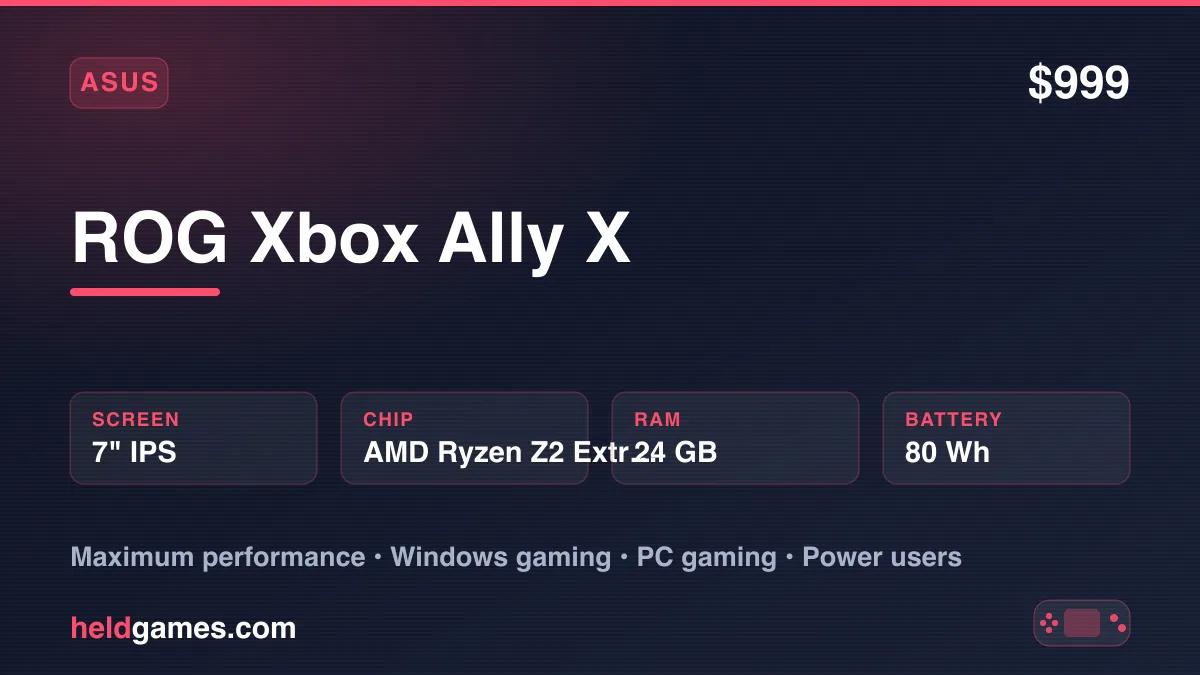
| Screen | 7" IPS, 1920×1080, 120Hz, 500 nits peak |
| Processor | AMD Ryzen Z2 Extreme — Zen 5 CPU + RDNA 3.5 iGPU |
| RAM | 24GB LPDDR5X |
| Storage | 1TB NVMe SSD |
| Battery | 80Wh — ~2–10 hours depending on workload |
| OS | Windows 11 Home |
| Connectivity | USB-C (DP 1.4, USB 3.2 Gen 2), USB-A 3.2, ROG XG Mobile, Wi-Fi 6E, Bluetooth 5.3, microSD, 3.5mm |
| Dimensions | 280 × 111 × 39mm |
| Weight | 678g |
Build Quality and Ergonomics
If there is one area where the ROG Xbox Ally X is simply the best — not "best for the price" or "best in its class" but the best, full stop — it's ergonomics.
ASUS has iterated through multiple Ally generations, and the ROG Xbox Ally X reflects everything they learned. The rear shell has deep, sculpted grip contours that wrap around your palms rather than just resting in them. The triggers have long, smooth travel with a satisfying tactile resistance — better, in this reviewer's hands, than the Steam Deck's triggers, which are good but shallower. The face buttons and D-pad click with authority. The shoulder bumpers are large and easy to actuate without repositioning your fingers.
At 678g it's heavier than the Steam Deck OLED (669g) — meaningfully similar, not meaningfully different — and like the Steam Deck, it is not a device you will fit in a jacket pocket. You are carrying this in a bag. Plan accordingly.
The thumbsticks use hall-effect sensors, the same magnetic positioning technology that eliminates stick drift in premium controllers. After the widespread drift problems that plagued earlier joystick designs, hall-effect has become a baseline expectation for any handheld over $100. The ROG Xbox Ally X delivers it as standard, alongside four fully mappable back buttons (M1–M4) that are ideally positioned for save state and fast-forward hotkeys in RetroArch.
One caveat: under heavy emulation load, the fan becomes audible. PS3 and demanding Switch emulation will spin the cooling system up noticeably. It's not disruptive at gaming volume, but it's present. Budget handhelds with passive or minimal active cooling are quieter by nature.
Display: 1080p 120Hz
The screen is excellent. It is not the Steam Deck OLED screen.
Let's be precise about what that means. The ROG Xbox Ally X runs a 7-inch IPS panel at 1920×1080 and 120Hz. The Steam Deck OLED runs a 7.4-inch OLED panel at 1280×800 and 90Hz. On raw pixel count, the Ally X wins — 1080p is more pixels than 800p, making text, UI elements, and 3D geometry sharper and cleaner. At 120Hz, you get a higher ceiling for frame-rate targets that genuinely matters for fast-moving PC games.
Where the Steam Deck OLED wins, and wins convincingly, is display quality. OLED produces true black at the pixel level — zero backlight bleed, effectively infinite contrast. IPS cannot replicate this. Dark scenes in Castlevania, Metroid, or any moody 3D title look noticeably washed on IPS compared to OLED. CRT scanline shaders, which depend on true black to simulate the alternating dark bands of a cathode-ray tube, look closer to real on OLED than on any IPS panel.
For retro gaming, the Steam Deck OLED's screen is the better retro gaming screen. For modern PC gaming — where resolution, refresh rate, and raw sharpness matter more than contrast depth — the ROG Xbox Ally X's 1080p 120Hz panel wins.
500 nits peak brightness is sufficient for indoor play. Outdoor visibility in direct sunlight is marginal, as it is on most handhelds.
Windows 11 on a Handheld
This section is honest because it has to be.
Windows 11 is a desktop operating system adapted — not designed — for handheld gaming. The ROG Xbox Ally X ships with the Xbox Full-Screen Experience and ASUS's Armoury Crate launcher to soften the edges, and they help. But Windows is still Windows, and on a device you hold with two hands, Windows friction surfaces constantly:
Windows Update will schedule restarts without asking. You will pick up the device, launch a game, and be told a restart is pending. At inopportune times, Windows will decide to update and restart mid-session.
UAC prompts — User Account Control pop-ups — appear when installing software, changing system settings, or running certain emulators. With a controller, dismissing a UAC prompt requires either navigating a mouse cursor with the thumbstick or switching to the touch screen. Neither is seamless.
Application installation still happens through web browsers, .exe downloads, and setup wizards. Installing EmuDeck, Steam, RetroArch, or a standalone emulator means navigating a standard Windows installer UI with a gamepad or touchscreen. You will want a Bluetooth keyboard and mouse for the initial setup session.
Driver and compatibility issues are rare but possible. ASUS provides solid ROG Ally drivers, but Windows means you're one update away from a compatibility hiccup that SteamOS's curated environment avoids.
None of this is disqualifying. Millions of PC gamers navigate Windows daily. But if you're coming from a Steam Deck, from an Anbernic running Linux-based firmware, or from any console, the friction will feel real. Budget an evening for initial setup. After that, day-to-day use improves significantly.
The Xbox Full-Screen Experience
Microsoft's Xbox Full-Screen Experience (XFS) is the closest Windows comes to SteamOS's Gaming Mode — a gamepad-optimized launcher that sits over Windows and lets you navigate your game library without touching the desktop.
XFS is genuinely well designed for what it covers: your Xbox Game Pass library, PC games purchased through the Xbox store, and games added via the Microsoft Gaming overlay. Navigation is smooth, controller input is reliable, and sleeping and waking the device from within XFS works consistently. If you subscribe to Game Pass Ultimate, your entire Xbox/PC back catalog is immediately navigable here — Halo, Forza, Indiana Jones, Starfield, every Xbox Studio title — without touching Windows Explorer.
The limitation: XFS does not automatically surface emulators. Your RetroArch instance or standalone emulators are not Xbox titles and won't appear in the XFS library natively. This is where EmuDeck steps in — it integrates emulated games into Steam, and Steam's Big Picture Mode or the Xbox overlay can launch them from there. The integration works, but it requires the EmuDeck setup step.
For retro gaming specifically, XFS is a stepping stone, not the destination. EmuDeck and Steam Big Picture Mode together are the actual frontend for your emulation library.
EmuDeck on Windows
EmuDeck — the same tool that makes emulation approachable on the Steam Deck — has full Windows support, and it works well on the ROG Xbox Ally X.
The setup process:
- Install Steam (free, from store.steampowered.com) — required for Steam ROM Manager integration
- Download and run the EmuDeck installer from emudeck.com (Windows version)
- Select your systems, storage location, and preferred emulators
- Wait 20–40 minutes for EmuDeck to download and configure RetroArch, RPCS3, Yuzu/Ryujinx, CEMU, Dolphin, PPSSPP, and the rest of your selected suite
- Transfer your personal game files to the appropriate system folders
- Run Steam ROM Manager to scan your library and add titles to Steam with cover art
- Launch Steam in Big Picture Mode — your personal collection is there alongside your purchased Steam games
Total time: 45–60 minutes, most of it waiting for downloads. No terminal commands. No Linux. No configuration file editing unless you choose to go deep on per-game settings.
Once set up, the experience is solid. Games launch from Steam Big Picture Mode, hotkeys (save state, load state, fast-forward, RetroArch menu) work via the back buttons you mapped during setup, and the ROG Xbox Ally X's hardware handles everything EmuDeck configures without complaint.
The only difference from the Steam Deck experience: Steam must be installed manually first (it's already on the Deck). That's the full delta. If you've set up EmuDeck on a Steam Deck, you already know how to do this.
Emulation Performance by Tier
The AMD Ryzen Z2 Extreme — Zen 5 CPU cores paired with an RDNA 3.5 integrated GPU — is a meaningfully more powerful chip than what's in the Steam Deck, and the performance difference shows precisely where it matters most: the demanding stuff.
Tier 1 — Flawless (zero configuration needed): NES, Game Boy, Game Boy Color, Game Boy Advance, SNES, Sega Genesis, Neo Geo, Arcade (MAME/FBNeo), PlayStation 1, Nintendo DS. Every game in these libraries at full speed, with resolution upscaling and shader overlays running without any performance impact whatsoever. The Z2 Extreme handles 8-bit and 16-bit emulation the way a modern CPU handles addition — effortlessly, with resources to spare.
Tier 2 — Excellent: Nintendo 64, PSP, Dreamcast, PlayStation 2, GameCube, Wii, Nintendo 3DS. These run beautifully. PS2 via PCSX2 upscales to 4× native resolution. Dolphin handles GameCube and Wii at 1080p with enhanced texture filtering. Every game in these libraries is playable; demanding titles run better here than they do on the Steam Deck.
Tier 3 — The Differentiator (PS3 via RPCS3): This is where the ROG Xbox Ally X separates itself from the Steam Deck in a way that matters. PS3 emulation via RPCS3 is dramatically more consistent on the Z2 Extreme than on the Steam Deck's Zen 2 APU. The vast majority of the PS3 library runs at full speed or close to it: Demon's Souls, Uncharted 1 and 2, Metal Gear Solid 4, God of War III, Ratchet & Clank Future, Resistance, LittleBigPlanet. Extremely demanding open-world titles need per-game tuning, but playable PS3 emulation is the norm here, not the exception.
Tier 3.5 — The Other Differentiator (Xbox 360 via Xenia): The Z2 Extreme's strong single-thread performance and AVX-512 support also make the ROG Xbox Ally X the standout handheld for Xbox 360 emulation via Xenia. It is game-dependent and enthusiast-grade, but many 360 titles that stutter on weaker hardware hold up here. See our Xbox 360 emulation guide for the full picture.
Tier 4 — Impressive (Nintendo Switch via Ryujinx): Switch emulation is significantly better than on the Steam Deck. Most of the Switch library runs at full speed. Breath of the Wild, Mario Odyssey, Luigi's Mansion 3, Fire Emblem: Three Houses, Pikmin 4 — all excellent. Demanding titles like Tears of the Kingdom and Xenoblade Chronicles 3 are playable with settings adjustments. This is not "Switch emulation exists as a bonus" — this is genuinely usable Switch emulation as a primary feature.
Tier 5 — Excellent Bonus (Wii U via Cemu): Wii U emulation via Cemu is one of the tidiest emulation stories on any platform — the Wii U library is small, Cemu is mature, and the Z2 Extreme handles it with ease. The Legend of Zelda: Wind Waker HD, Breath of the Wild (Wii U build), Mario Kart 8 (original), Pikmin 3, Donkey Kong Country: Tropical Freeze — all excellent. This is a bonus that many players won't think to check, but it works.
PC Gaming: The ROG Xbox Ally X is also a Windows gaming PC. Indie titles, older PC games, Xbox Game Pass titles, and moderately demanding modern games all run well. AAA titles at 1080p are possible at medium settings for many games; very demanding titles need quality compromises. It is not a gaming laptop replacement, but it's a legitimate portable PC gaming device in ways the Steam Deck (with its Linux compatibility layer) is not.
Battery Life
The 80Wh battery is the largest shipped in any handheld PC on the market — 30Wh larger than the Steam Deck OLED's 50Wh cell. That headroom translates directly to runtime, though the Z2 Extreme is also a more power-hungry chip than the Steam Deck's APU. The net result is excellent battery life for a Windows handheld:
- NES / SNES / GBA / PS1 — ~9–10 hours
- N64 / PSP / Dreamcast — ~7–8 hours
- PS2 / GameCube / Wii — ~5–6 hours
- PS3 / Switch (demanding emulation) — ~3–4 hours
- Modern PC games (performance settings) — ~2–3 hours
For retro gaming through the Wii/PS2 era — the heart of most retro libraries — the ROG Xbox Ally X delivers 5–8+ hours of runtime. That is outstanding for a Windows device. The Steam Deck OLED runs shorter at equivalent workloads despite being a more efficient platform, because the 30Wh battery advantage overcomes the efficiency gap.
The device charges via USB-C PD. ASUS includes a 65W adapter. Charging while playing works; the adapter keeps pace with moderate workloads and slowly charges under demanding ones. At retro gaming TDP levels, charge and play are effectively balanced.
A practical tip: Windows has a per-app power mode setting (Performance / Balanced / Efficiency) accessible from the taskbar battery icon. Setting RetroArch to Efficiency mode for 8/16-bit systems adds 1–2 hours of runtime at no perceptible performance cost.
Accessories and Docking
The ROG Xbox Ally X docks like a PC — because it is one.
Any USB-C hub with DisplayPort output connects the device to a monitor or TV. The USB-C port supports DisplayPort 1.4, which means 4K output at 60Hz or 1440p at 120Hz to an external display. For emulation on a living room TV, the experience is spectacular: connect a USB hub, plug in a TV, add a Bluetooth controller, and you have a desktop emulation station running everything from NES to PS3 at full speed.
The ROG XG Mobile port — a proprietary ASUS connector — allows connection of an external GPU enclosure for significantly elevated gaming performance. For retro emulation purposes this is unnecessary overkill, but it exists for users who want to push demanding modern PC titles harder while docked.
A carrying case is not optional at this price point. The ROG Xbox Ally X costs $999 and has an IPS display that will scratch if tossed loose in a bag.
Who Is This For?
The ROG Xbox Ally X has a specific buyer profile. It is a very good device for that buyer, and a very poor value for everyone else.
This device is for you if:
- You want PS3, Switch, or Wii U emulation as first-class features, not marginal experiments
- You subscribe to Xbox Game Pass and want your full library portable
- You're a PC gamer who wants a portable gaming PC, not just a retro handheld
- You've used a Steam Deck and hit its emulation ceiling — PS3 inconsistency, Switch limitations
- You want the absolute best grip ergonomics available on any handheld
- You're comfortable with Windows and don't fear an initial setup session
This device is not for you if:
- Your retro library tops out at PS1 or PS2 — the Steam Deck handles those perfectly at $450 less
- You want the simplest possible setup with the least ongoing friction
- You need something pocketable or truly compact
- The OLED display quality on the Steam Deck matters more to you than resolution and refresh rate
- $999 for a handheld is difficult to justify
The honest bottom line: if the PlayStation 2 era is your ceiling, buy a Steam Deck OLED and keep the $450. The Steam Deck handles everything through PS2/GameCube flawlessly, has a better screen for retro gaming, and runs a more approachable OS. But if PS3, Switch, or Wii U are genuinely on your list — if you've been frustrated watching demanding games stutter on lesser hardware — the ROG Xbox Ally X is the device that solves that problem.
ROG Xbox Ally X vs Steam Deck OLED — Which Should You Pick?
This is the comparison that brings most retro gaming enthusiasts to this review. Here's the complete breakdown:
| Feature | ROG Xbox Ally X | Steam Deck OLED |
|---|---|---|
| Price | $999 | $789 |
| Screen | 7" IPS, 1080p, 120Hz | 7.4" OLED, 800p, 90Hz |
| Display quality | Sharp, high-res | Better contrast, true black |
| OS | Windows 11 | SteamOS (Linux) |
| PS2 / GameCube / Wii | Excellent | Excellent |
| PS3 emulation | Excellent | Capable / inconsistent |
| Switch emulation | Very good | Capable / inconsistent |
| Wii U emulation | Excellent | Limited |
| Game Pass / Xbox | Native | Via Heroic launcher |
| Battery (retro gaming) | ~7–9h | ~7–8h |
| Battery (demanding) | ~3–4h | ~2–3h |
| Ergonomics | Best-in-class | Very good |
| Setup ease | Moderate (Windows) | Easy (SteamOS) |
| Weight | 678g | 669g |
| Repairability | Moderate | High (iFixit 7/10) |
Buy the Steam Deck OLED if:
- Your library doesn't extend beyond PS2 and GameCube — it handles those perfectly
- You want a genuinely console-like OS that sleeps, wakes, and updates without drama
- The OLED screen with CRT shaders is the retro gaming experience you're chasing
- $789 is more defensible than $999 for your use case
- You want a device Valve will support with parts and repair guides for years
Buy the ROG Xbox Ally X if:
- PS3, Switch, or Wii U emulation is non-negotiable
- You're a Game Pass subscriber and want your full library portable
- You want the best grip ergonomics on any handheld, full stop
- Maximum battery life in a Windows PC handheld matters to you
- You're comfortable with Windows and treat the setup investment as a one-time cost
The Steam Deck OLED is the better retro gaming handheld for most of the retro canon. The ROG Xbox Ally X is the better device if your definition of retro extends to seventh-generation systems — or if you want a real Windows gaming PC in your hands.
Final Verdict
The ROG Xbox Ally X is what happens when a handheld PC takes emulation seriously. The AMD Ryzen Z2 Extreme blows past every limit that constrains the Steam Deck — PS3 runs confidently, Switch emulation is reliable enough to be a feature rather than a footnote, and Wii U via Cemu is a delight. The 80Wh battery is class-leading for Windows. The ergonomics are, without qualification, the best on any handheld ever shipped.
Windows 11 is the real cost of admission — not just the $999 price, but the ongoing friction of a desktop OS on a device you hold in your hands. The Xbox Full-Screen Experience and EmuDeck smooth over much of it, but they can't paper over Windows Update, UAC prompts, or the occasional driver hiccup. Users coming from SteamOS will feel the step backward in OS polish acutely.
But if you can make peace with Windows, or if you're already a Windows user who knows how to navigate it — the ROG Xbox Ally X is the most capable emulation handheld ever made. Nothing else at any price plays PS3 this reliably in a portable form factor. Nothing else gives you Switch, Wii U, PS3, GameCube, and your Steam library in one device with this battery life and these ergonomics.
At $999, it's a serious purchase. For the right buyer, it's the last handheld you'll need.
Related reading
 ReviewReviewReview