
Affiliate disclosure: This review contains affiliate links. As an Amazon Associate, we earn from qualifying purchases at no extra cost to you. Learn more.
Forget everything you've heard about the Steam Deck as a PC gaming handheld. For retro enthusiasts, it's something more interesting: the most capable emulation machine ever made in a portable form factor. The fact that it also plays your Steam library is a bonus. The $789 starting price is the only argument against it — and it's a real one.
✓ Pros
- • 7.4" OLED screen — the best display on any handheld, full stop
- • Handles every retro system through PS2/GameCube/Wii without compromise
- • EmuDeck makes setup approachable — no Linux experience required
- • SteamOS is polished and stable — sleep/wake works like a console
- • Dockable: becomes a full living room emulation station via any USB-C hub
- • Hall-effect thumbsticks — zero drift, guaranteed
- • Valve sells official replacement parts; iFixit repairability score of 7/10
- • Your entire Steam library comes along for the ride
✗ Cons
- • $789 starting price is 7–10× a capable budget Anbernic
- • 669g and 298mm wide — this is not a pocket device
- • Battery life collapses to 2–3 hours under heavy load
- • Overkill (and overpriced) if your library tops out at PS1
- • EmuDeck setup still takes 30–60 minutes on first run
Specs
Technical Specifications
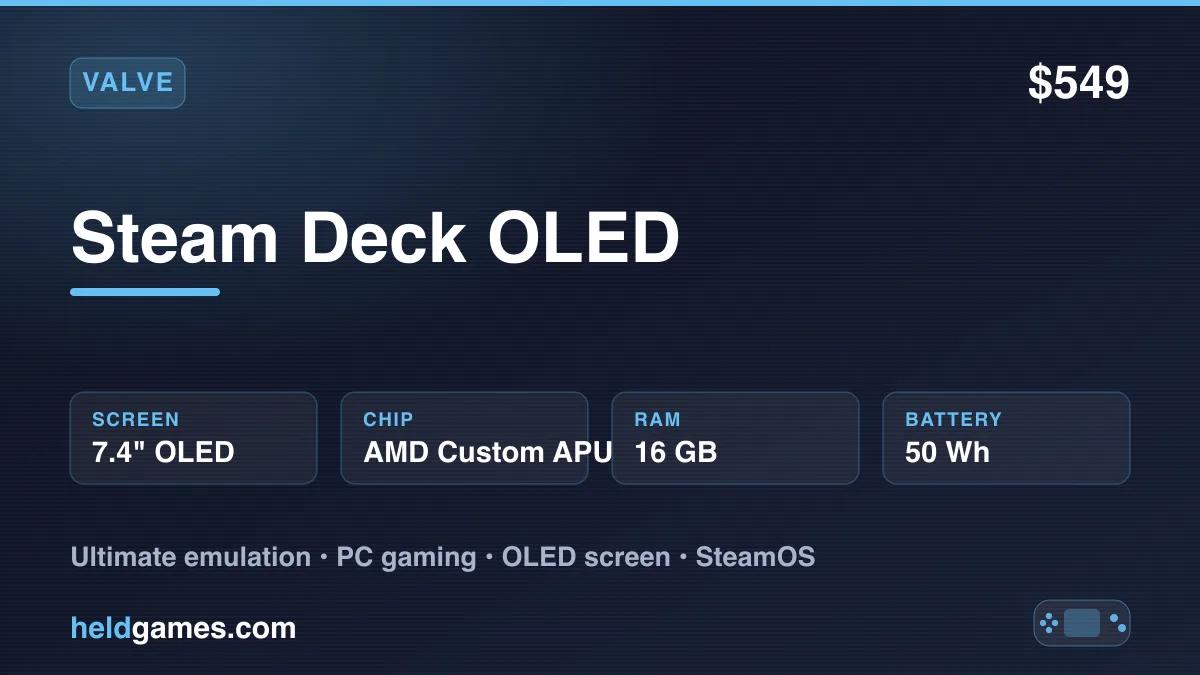
| Screen | 7.4" OLED, 1280×800, 90Hz, HDR400 |
| Processor | AMD Custom APU — Zen 2 CPU + RDNA 2 GPU |
| RAM | 16GB LPDDR5 |
| Storage | 512GB NVMe SSD (base); 1TB and 2TB options |
| Battery | 50Wh — ~3–8 hours depending on load |
| OS | SteamOS 3 (Arch Linux base) |
| Connectivity | USB-C (DP 1.4, USB 3.2), Wi-Fi 6E, Bluetooth 5.3, microSD |
| Dimensions | 298 × 117 × 49mm |
| Weight | 669g |
Note: The Steam Deck is also available directly from Valve at store.steampowered.com, often with shorter wait times.
Build Quality and Ergonomics
Numbers on a spec sheet don't capture how the Steam Deck feels in hand. At 669g and nearly 30cm wide, it's closer to a small laptop than anything from Anbernic or Retroid. Set it next to an RG40XXV and the size difference is almost comical.
And yet — it's remarkably comfortable. Valve put real engineering into the ergonomics. The back of the shell has a pronounced grip contour, the weight distributes evenly across both hands, and the triggers have long, satisfying travel with a tactile bump. Shoulder buttons, face buttons, and the D-pad are all class-leading. The D-pad in particular is excellent for 2D games — precise, fatigue-free, and well-positioned.
The thumbsticks use hall-effect sensors, meaning they measure position magnetically rather than through physical contact. The practical result: no stick drift, ever. For retro gaming where analog is secondary, this matters less. For N64 and GameCube where analog precision is everything, it's a significant advantage.
Four back paddles (L4, R4, L5, R5) are fully mappable per game. For emulation, this is gold — you can assign save state, load state, fast-forward, and menu shortcuts to the back buttons and never interrupt your play with a button combo again.
The device is not pocketable. Carry it in a dedicated case or a laptop bag, not a jacket pocket.
Screen Quality: The OLED Advantage for Retro Gaming
This is where the Steam Deck OLED earns its premium over every other handheld on the market.
OLED panels produce light at the pixel level, which means black pixels emit zero light — true black, not a dark gray backlight bleed. The contrast ratio is effectively infinite. On an IPS panel, even a good one, dark scenes in games like Castlevania: Symphony of the Night or Super Metroid have a visible grayish wash. On the Steam Deck OLED, those same scenes look like velvet.
The effect on retro pixel art is profound. CRT scanline shaders — which simulate the appearance of a cathode-ray television — look real on an OLED in a way they simply don't on any IPS screen. The alternating bright and dark scanlines take on genuine depth because the dark lines are actual black, not a dimmed backlight. If you've ever wanted to recapture the feeling of playing SNES on a Sony Trinitron, this screen and the right RetroArch shader preset gets you closer than anything else available.
The 90Hz refresh rate further separates it from budget handhelds, which are typically 60Hz. Fast horizontal scrollers — Streets of Rage 4, Contra, any shoot-em-up — feel noticeably smoother. The difference is subtle but, once noticed, impossible to unfeel.
Color accuracy and gamut are excellent. The wide color gamut makes GBA games — a platform that had to compensate for its awful original screen with saturated art direction — look exactly as the artists intended.
SteamOS: Approachable Linux for Non-Technical Users
Linux has a reputation for complexity. SteamOS 3 has largely earned an exception to that reputation.
The default boot experience is Gaming Mode — Valve's Big Picture interface. It looks and behaves like a console dashboard. Your Steam library is front and center. You navigate with the thumbsticks and face buttons. Updates happen automatically. Sleep and wake work reliably. There is nothing here that requires terminal commands, driver installation, or configuration files.
For emulation, EmuDeck integrates its launchers directly into Gaming Mode. After setup, your personal game library appears alongside your Steam purchases with cover art, as if they were native releases. Launching Super Mario World looks no different from launching a Steam game.
Desktop mode — a full KDE Plasma Linux desktop — is available but entirely optional. You need it once, to install EmuDeck. After that, most users never touch it again. Advanced users who want to install additional software, tweak configurations, or use the device as a light productivity machine will find a full Linux desktop waiting for them.
EmuDeck: The Primary Setup Path
EmuDeck is the right way to set up emulation on the Steam Deck for the vast majority of users. We keep a dedicated EmuDeck setup guide with screenshots of every step, plus per-system walkthroughs for PS2, GameCube, and N64. It's a single installer script that handles everything: downloading and configuring RetroArch, Dolphin, RPCS3, PPSSPP, and more; setting up hotkeys and controller mappings; and launching Steam ROM Manager to add your personal game collection to your Steam library with artwork.
Setup process, start to finish:
- Boot into Desktop mode once
- Download and run the EmuDeck installer from the EmuDeck website
- Answer a few setup questions (storage location, systems you want)
- Wait 20–30 minutes for downloads
- Transfer your personal game files to the appropriate system folders
- Run Steam ROM Manager to add them to your library
- Return to Gaming Mode — your games are there
Total time: 30–60 minutes, most of it idle waiting for downloads. After that, you never need to return to Desktop mode unless you choose to.
EmuDeck keeps itself and its emulators updated. It handles per-system configurations sensibly out of the box. For users who want to tinker, every setting is accessible. For users who just want to play, the defaults work.
The only caveat: EmuDeck only works with games you own. Add your personal backups of your physical collection.
Emulation Performance by Tier
The AMD custom APU — Zen 2 CPU paired with an RDNA 2 GPU — is a substantial piece of hardware. It runs circles around every purpose-built retro handheld on the market.
Tier 1 — Flawless (no configuration needed): NES, Game Boy, Game Boy Color, Game Boy Advance, SNES, Sega Genesis, Neo Geo, Arcade (MAME/FBNeo), PlayStation 1. Every game in these libraries runs at full speed with zero exceptions. GBA runs at native resolution on a screen that makes it look better than it ever did on original hardware.
Tier 2 — Excellent (near-perfect): Nintendo 64, PlayStation Portable, Dreamcast, PlayStation 1. These run flawlessly. N64 emulation here is not the hit-or-miss experience of a budget chip — every game in the library is playable, demanding titles included.
Tier 3 — Excellent (upscaling available): PlayStation 2, GameCube, Wii. This is the Steam Deck's headline capability over every other handheld. PS2 games run at 2× or 3× native resolution with PCSX2. GameCube and Wii run beautifully in Dolphin at 720p or higher. Titles that are completely unplayable on an RG40XXV or Retroid Pocket 4 Pro run at locked 60fps here. Shadow of the Colossus, God of War, Wind Waker — they all just work.
Tier 4 — Capable, but demanding: PS3 (via RPCS3) and Nintendo Switch (via Yuzu/Ryujinx) are achievable but inconsistent. Many PS3 titles run well with per-game configuration; demanding open-world games drop frames. Switch emulation works well for many titles but taxing games need tweaking. Treat these as a bonus, not a selling point.
For everything through the Wii/PS2 era — encompassing the vast majority of the retro gaming canon — the Steam Deck is simply the best portable option that exists.
Battery Life: Retro vs. Modern
The 50Wh battery is large. It's also working against a power-hungry APU, so real-world results vary enormously by workload:
- NES / SNES / GBA / PS1 — ~7–8 hours
- N64 / PSP / Dreamcast — ~5–6 hours
- PS2 / GameCube / Wii — ~4–5 hours
- PS3 / modern PC games — ~2–3 hours
For retro gaming, battery life is genuinely good. For demanding content, it's adequate. The device charges via USB-C Power Delivery, and pass-through play while charging works — the included 45W adapter is fast enough to keep pace with moderate workloads.
A practical trick: in Gaming Mode, you can cap the TDP (thermal design power) to 8–10W for lighter systems. This extends battery life to 8+ hours with negligible performance impact on anything through PS1.
Docking and Desktop Mode
Any USB-C hub with DisplayPort out works as a dock — you don't need the official Valve dock, though it's tidy. Connected to a TV, the Steam Deck outputs up to 4K via DisplayPort 1.4.
Retro games on a large TV with a CRT shader and a good USB controller connected is a genuinely spectacular setup. The Steam Deck handles it effortlessly. The OLED's color accuracy carries over to external output; the image on screen is sharp and faithful.
As a living room emulation station, it competes directly with dedicated solutions like a Raspberry Pi 5 or a mini-PC running Batocera — and wins on ease of setup and the ability to pick it up and take it portable again instantly.
Desktop mode, when you visit it, is a full KDE Plasma Linux desktop. The full power of Arch Linux is available if you want it. Most users won't need it beyond the initial EmuDeck setup.
Storage
The base 512GB model has enough space for most retro libraries — the combined size of NES, SNES, GBA, Genesis, N64, and PS1 complete sets is well under 100GB. PS2 and GameCube libraries are larger, and a 1TB or 2TB model is worth considering if you plan to keep large libraries on the internal SSD.
The microSD slot (UHS-I) provides affordable overflow storage. A 256GB or 512GB high-speed microSD card handles retro game files comfortably at a fraction of the NVMe SSD cost. EmuDeck supports directing games to the SD card transparently.
The NVMe SSD is also replaceable — Valve sells official replacement drives and iFixit has full guides. It's a straightforward upgrade if you start with the 512GB base model.
Repairability
The Steam Deck has an iFixit repairability score of 7/10 — remarkably high for a consumer portable. Valve publishes official repair guides and sells replacement parts directly: batteries, OLED screens, thumbsticks, and more. The battery is accessible without special tools.
This matters more than it might seem. Budget handhelds from Anbernic are inexpensive enough to replace when something breaks. At $789, you want to know the Steam Deck can be repaired and maintained for years. Valve's commitment to parts availability and the right-to-repair documentation makes it a long-term investment, not a disposable device.
Steam Deck vs. a $65 Anbernic: Which Should You Buy?
This is the question that brings most retro gaming enthusiasts to this review. Here's the honest breakdown:
| Steam Deck OLED | Anbernic RG40XXV | Anbernic RG35XX | |
|---|---|---|---|
| Price | $789 | $75 | $55 |
| Screen | 7.4" OLED 90Hz | 4" IPS 60Hz | 3.5" IPS 60Hz |
| PS2 / GameCube | Excellent | No | No |
| PS3 / Switch | Capable | No | No |
| N64 / PSP | Excellent | Decent | Poor |
| Pocketable | No | Yes | Yes |
| Battery (retro) | ~7–8h | ~8–9h | ~6–8h |
| Setup time | ~45 min | ~20 min | ~20 min |
| Repairability | High | Low | Low |
Buy the Anbernic RG35XX or RG40XXV if:
- Your budget is under $100 and that's firm
- Your library is NES, SNES, GBA, and PS1 — the budget chips handle all of this perfectly
- You need something that fits in a pocket or small bag
- You want the simplest possible setup experience
Buy the Steam Deck OLED if:
- PS2, GameCube, or Wii emulation is on your list
- You own a Steam library you want portable access to
- You want the best possible screen for retro pixel art and CRT shaders
- You plan to dock it to a TV for couch play
- You want a device you can repair and maintain for 5+ years
The honest truth: if your retro gaming is primarily 8-bit and 16-bit, the Steam Deck is spectacular overkill. An RG35XX at $55 runs every NES, SNES, and GBA game just as well. Save the other $494.
But if you want PS2 and GameCube in your pocket, there is no alternative. Nothing else does it this well, this reliably, in this form factor. The Steam Deck isn't competing with the RG35XX — it's competing with a separate category. Within that category, see how it fares against the Windows flagships in our Steam Deck vs ROG Ally X vs Legion Go S comparison and the wider best PC gaming handhelds guide.
Who Is This For?
The Steam Deck OLED is the right device if you:
- Want one device that covers the entire retro gaming library from NES through Wii/PS2
- Care about screen quality — OLED with CRT shaders is a genuinely different visual experience
- Own PC games on Steam and want them portable
- Plan to use it docked to a TV as a living room emulation station
- Want hardware you can repair, upgrade, and own for the long term
- Are ready to spend 45 minutes on initial EmuDeck setup
It's the wrong device if you:
- Need something pocket-sized
- Want the simplest possible setup
- Only care about 8/16-bit systems
- Can't justify the $789 entry price
Final Verdict
The Steam Deck OLED is the best emulation handheld ever made. No other portable device runs PlayStation 2 and GameCube this cleanly, with this display quality, in this form factor. EmuDeck makes the setup genuinely approachable. SteamOS is stable in a way that custom firmware on budget devices isn't. The OLED screen with a good CRT shader preset is the closest thing to playing on original hardware that exists.
The price is real. $789 is a serious purchase and the case for a $55 Anbernic is legitimate if your library doesn't extend past PS1. But if you've been hunting for the device that does everything — the one you buy and stop thinking about — this is it.
At $789, it's the last retro handheld you'll need to buy.
A successor is coming eventually, but it is not close. The AMD chip rumored to be the Steam Deck 2's is described as ready in late 2027 at the earliest, and Valve has confirmed no silicon, price, name or release window. We run the leaked numbers in our Steam Deck 2 APU leak analysis. Holding off for two years is not a plan.
Related reading
 ReviewReviewReview