
Affiliate disclosure: This guide contains affiliate links. As an Amazon Associate, we earn from qualifying purchases at no extra cost to you. Learn more.
A retro handheld goes everywhere with you, so it picks up dust, fingerprints, pocket lint, and the odd sticky button. A little regular care keeps it looking and feeling like new, and it can prevent the small problems that turn into big ones. The good news is that cleaning a handheld is quick, cheap, and easy once you know what is safe to use.
This guide covers how to clean the screen, buttons, sticks, and ports without causing damage, plus storage and care habits that extend the life of your device. We frame all of this around caring for hardware you own.
Affiliate disclosure: This page contains affiliate links. As an Amazon Associate, we earn from qualifying purchases at no extra cost to you.
What You Need
A simple kit handles almost everything.
- A microfiber cloth for the screen and shell
- Cotton swabs for tight spots
- A soft brush or compressed air for dust
- Isopropyl alcohol of 90 percent or higher for grime
- A wooden or plastic toothpick for crevices
Avoid paper towels, household glass cleaners, and anything abrasive. Those can scratch the screen or strip coatings. A basic
covers the cloth, swabs, and brush in one go.Cleaning the Screen
The screen is the part you touch most and notice first.
- Power off the device so you can see smudges clearly.
- Wipe gently with a dry microfiber cloth to lift dust and most fingerprints.
- For stubborn marks, lightly dampen a corner of the cloth with a little isopropyl alcohol. Never spray liquid directly on the screen.
- Wipe in one direction, then buff dry with a clean part of the cloth.
If your device has a screen protector, this also keeps it clear. A scratched protector is cheap to replace, while a scratched screen is not.
Cleaning Buttons and the D-Pad
Sticky or mushy buttons usually mean grime has built up around the edges.
- Brush away loose dust first.
- Dampen a cotton swab with isopropyl alcohol and run it around the edge of each button.
- Use a toothpick to lift debris from the tight gaps, working gently so you do not scratch the shell.
- Press each button a few times after cleaning to confirm it moves freely.
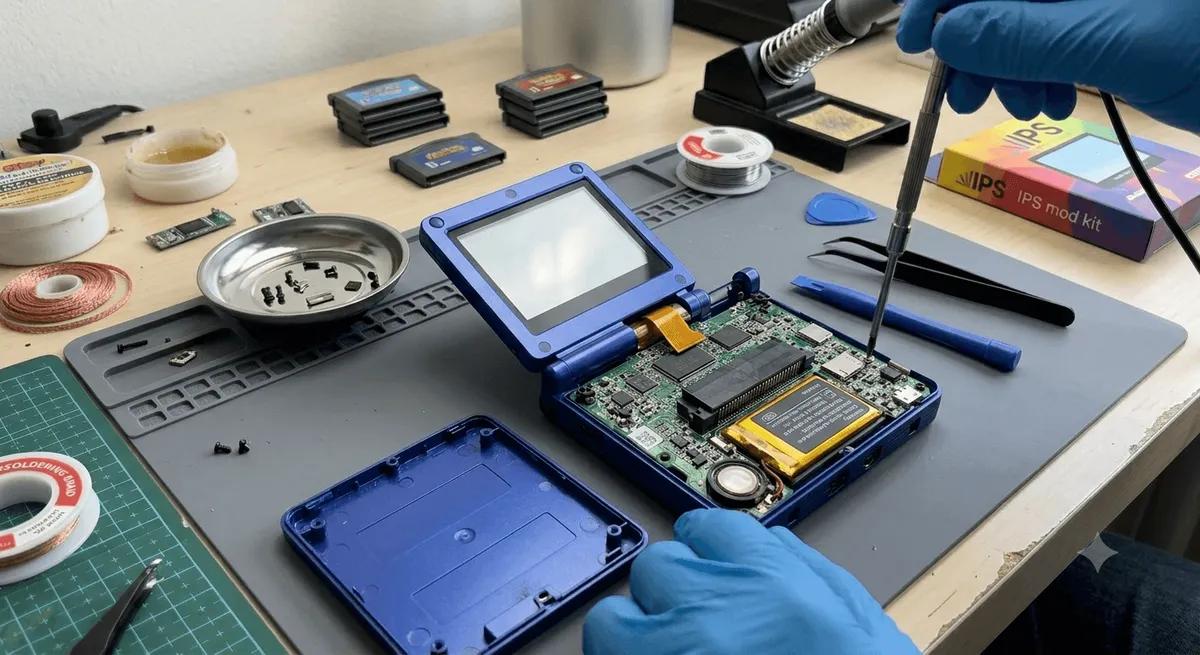
For deeper grime under the buttons, some people open the shell to clean the membrane. Only do that if you are comfortable with it. Our how to install Hall effect sticks guide covers safely opening a device if you want to go further.
Cleaning Analog Sticks
Dust around the base of a stick can cause grinding or affect movement.
- Move the stick to one side to expose the base.
- Use a dry brush or a swab lightly dampened with alcohol to clean around the rim.
- Work all the way around, then let it dry fully before use.
If a stick still feels rough or drifts after cleaning, the issue may be wear rather than dirt. See our how to fix joystick drift guide.
Cleaning Ports and Card Slots
Charging and connection problems are often just dust in a port.
- Power off the device.
- Use a short burst of compressed air to blow dust out of the USB port, headphone jack, and card slots.
- For stuck grime, a dry toothpick can gently dislodge it. Do not use metal, which can short or scratch contacts.
- Never use liquid inside a port.
A clean port often fixes a charging cable that would not seat or a card that would not read.
Storage and Daily Care
Good habits prevent most damage in the first place.
- Use a case. A case protects the screen and shell in a bag or pocket. Our best retro handheld accessories guide has picks.
- Apply a screen protector. It takes the scratches so your screen does not.
- Keep it out of heat. Do not leave a handheld in a hot car. Heat is hard on the battery and the screen.
- Mind the battery. For long-term storage, store it around half charged and top it up every few months. Our battery health on retro handhelds guide explains why.
- Eject cards safely. Always eject the microSD card properly before removing it to protect your games and saves.
A Simple Routine
A quick wipe of the screen after each session and a deeper clean every month or two is all most devices need. Five minutes of care keeps a handheld feeling new for years. Combined with safe storage and good battery habits, it is the easiest way to protect your investment.
Recommended Gear
A small kit and a case cover almost everything. The
handles routine cleaning, and a protects it on the go.For more upkeep, see our battery health on retro handhelds, how to fix joystick drift, and best retro handheld accessories guides.
Related reading
 GuideGuideGuide