
Affiliate disclosure: This guide contains affiliate links. As an Amazon Associate, we earn from qualifying purchases at no extra cost to you. Learn more.
Stick drift is the curse of analog sticks. Over time the standard potentiometer-based sticks wear out, and your character starts walking on its own. Hall effect sticks solve this for good. They use magnets instead of physical contacts, so there is nothing to wear down and nothing to drift. Many newer handhelds ship with them, and on many older devices you can install them yourself.
This guide explains what Hall effect sticks are, which devices already have them, and how to install a set if yours does not. It pairs with our how to fix joystick drift guide, which covers software fixes and lighter repairs first. We frame all of this around maintaining hardware you own.
Affiliate disclosure: This page contains affiliate links. As an Amazon Associate, we earn from qualifying purchases at no extra cost to you.
What Hall Effect Sticks Are
A normal analog stick uses potentiometers, which are small components with physical contacts that wear out as they rub. That wear is what causes drift. Hall effect sticks replace those contacts with magnets and a sensor. Nothing touches, so nothing wears out, and drift simply does not happen. They also tend to feel smoother and more precise.
The tradeoff is cost. Hall effect sticks are a little more expensive, which is why budget devices sometimes skip them. For anyone tired of drift, the upgrade is well worth it.
Should You Mod or Just Recalibrate First
Before opening your device, try the simpler fixes. Recalibration and a deadzone tweak solve a lot of drift without any hardware work. Our how to fix joystick drift guide walks through those. If the drift comes back no matter what, a Hall effect swap is the permanent fix.
Devices That Already Have Hall Effect Sticks
Many current handhelds include Hall effect sticks out of the box, so you may not need to mod at all.
- Several Retroid Pocket models
- Various AYN Odin models
- A number of newer Anbernic devices
- Many premium Android and PC handhelds
If you are still shopping, buying a device with Hall effect sticks from the start saves you the trouble. Our best retro handhelds guide notes which devices include them.
What You Need for the Install
- A replacement Hall effect stick kit that matches your device
- A small Phillips screwdriver, often size PH00 or PH000
- A plastic pry tool or spudger to open the shell
- A soldering iron and solder, if your device's sticks are soldered
- A clean, well-lit workspace and a small dish for screws
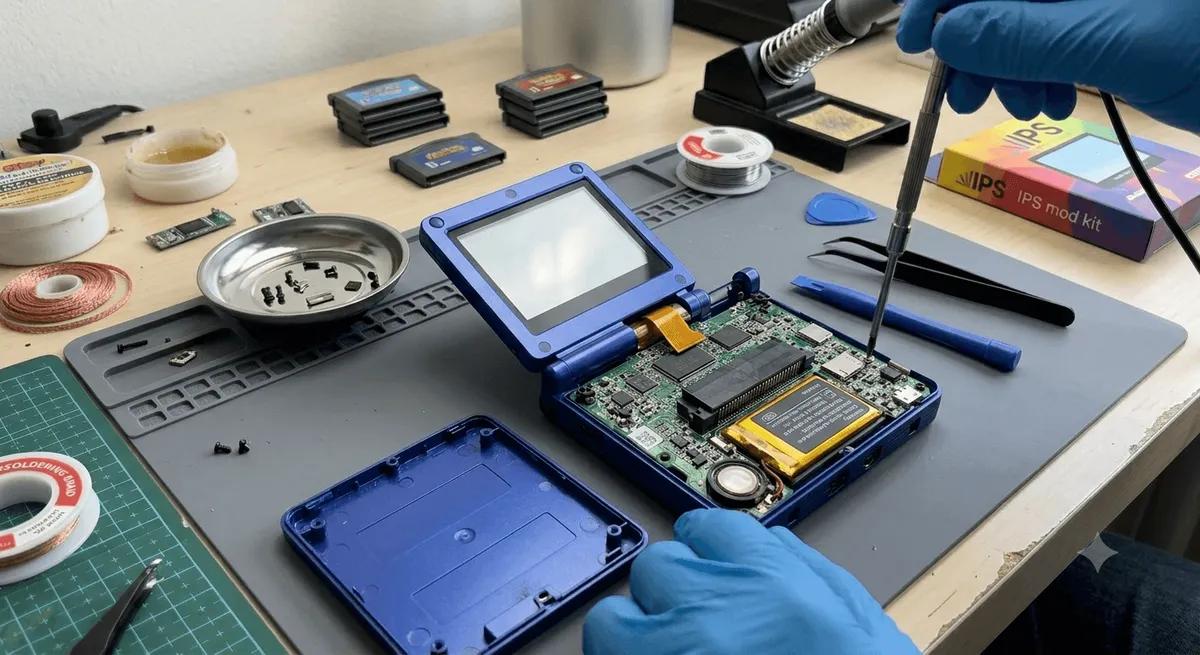
Many sticks are soldered to the board, so basic soldering skill is often required. Some devices use plug-in stick modules that need no soldering, which makes the job far easier. Check which type your device uses before you buy.
A basic toolkit covers most of this. The
includes the small bits and pry tools you need. Buy a Hall effect kit listed specifically for your handheld model, since stick sizes and connectors vary.Step by Step Install
Work slowly and keep your screws organized. This is a careful job, not a hard one.
- Power off and remove storage. Turn the device off fully and take out the microSD cards.
- Open the shell. Remove the back screws, set them in your dish, and gently pry the shell apart with a plastic tool. Watch for ribbon cables connecting the halves.
- Locate the sticks. Find the analog stick modules on the board. Note how they are oriented before removing anything.
- Remove the old sticks. If they plug in, unclip the module. If they are soldered, desolder the joints carefully and lift the old stick free.
- Fit the new Hall effect stick. Seat the replacement in the same orientation. Solder it in if needed, making clean joints with no bridges.
- Reassemble partway and test. Before fully closing the shell, power on and check that the new stick is detected and centered.
- Calibrate. Run your device's stick calibration so the new hardware reads correctly. Our how to fix joystick drift guide covers calibration steps.
- Close it up. Reconnect any ribbon cables, press the shell together, and replace the screws.
After the Install
Test the stick in a game that uses full analog movement. The drift should be gone, and the motion should feel smooth across the whole range. Run calibration again if the center feels slightly off. Once it is dialed in, you should not have to think about drift again.
When to Skip the Mod
If you are not comfortable with soldering and your device uses soldered sticks, consider two alternatives. You can have a repair shop do the swap, or you can buy a newer handheld that already includes Hall effect sticks. There is no shame in skipping a delicate solder job on a device you rely on.
Recommended Picks
If you would rather buy a device that already solves drift, the
and ship with Hall effect sticks. For the tools to do the mod yourself, the is a good starting point.For more upkeep, see our how to fix joystick drift and battery health on retro handhelds guides.
Related reading
 GuideGuideGuide