
Affiliate disclosure: This review contains affiliate links. As an Amazon Associate, we earn from qualifying purchases at no extra cost to you. Learn more.
The Steam Deck OLED has had the SteamOS handheld market to itself since launch. The Lenovo Legion Go S changes that. Running the same SteamOS that Valve ships on the Steam Deck — same Gaming Mode, same EmuDeck integration, same Linux-based emulation stack — the Legion Go S brings genuine competition to the SteamOS tier for the first time: a bigger screen, more RAM, and a chip that handles PS3 and Switch emulation more consistently than the Steam Deck's aging Zen 2 APU. The price premium over the Steam Deck is real. So is the performance headroom.
✓ Pros
- • 8" 120Hz IPS display — the largest screen on any SteamOS handheld
- • More powerful CPU/GPU than the Steam Deck OLED — better PS3 and Switch emulation
- • Runs SteamOS natively — same Gaming Mode, EmuDeck, and Linux stack as the Steam Deck
- • 16–32GB RAM across tiers — more headroom for demanding emulation
- • Hall-effect thumbsticks — zero drift by design
- • Your entire Steam library is native
- • USB-C docking to any monitor or TV without proprietary hardware
- • EmuDeck setup is identical to the Steam Deck — existing guides transfer directly
✗ Cons
- • Higher configurations reach $829, well above the Steam Deck OLED's $789
- • 8" IPS display — larger than Steam Deck but no OLED; blacks and contrast noticeably worse
- • Larger and heavier than the Steam Deck — even less pocketable
- • 120Hz IPS is a genuine trade-off against the Steam Deck OLED's display quality
- • Lenovo's SteamOS build is newer — less community testing than Valve's official hardware
- • Fan noise under heavy PS3/Switch emulation load
Specs
Technical Specifications
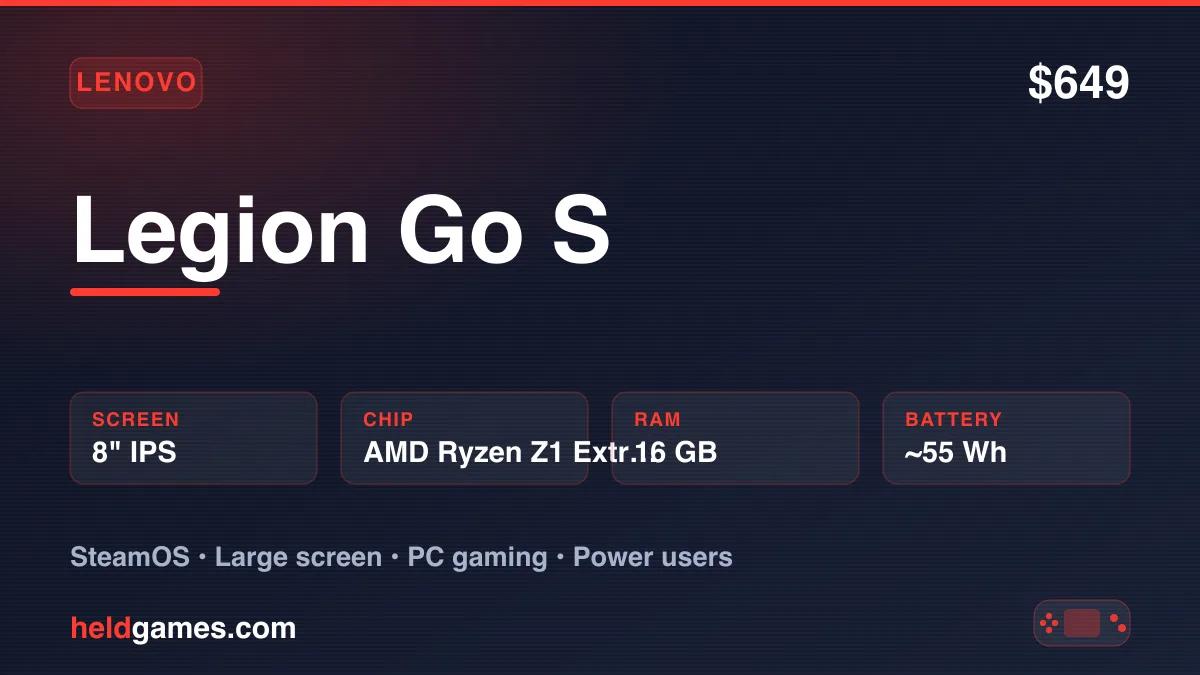
| Screen | 8" IPS, 1920×1200, 120Hz |
| Processor | AMD Ryzen Z1 Extreme (upper tier) / AMD Ryzen Z2 Go (lower tier) |
| RAM | 16GB LPDDR5X (base) / 32GB LPDDR5X (upper tier) |
| Storage | 512GB NVMe SSD (base) / 1TB NVMe SSD (upper tier) |
| Battery | ~55Wh — ~2–8 hours depending on workload |
| OS | SteamOS 3 (Arch Linux base) |
| Connectivity | USB-C (DP 1.4, USB 3.2), Wi-Fi 6E, Bluetooth 5.2, microSD, 3.5mm |
| Dimensions | ~310 × 130 × 40mm |
| Weight | ~750g |
Build Quality and Ergonomics
Lenovo's Legion gaming line has a distinctive industrial aesthetic — sharp angles, red accent lines, a deliberately aggressive look that signals "gaming hardware" without ambiguity. Whether that aesthetic appeals to you is subjective. The build quality underneath it is not: the Legion Go S feels substantial and well-constructed, with no flex in the chassis, consistent button travel, and a grip texture that keeps the device secure during longer sessions.
At roughly 750g and wider than the Steam Deck, the Legion Go S occupies a category where "portable" means "fits in a bag" rather than "fits in a jacket pocket." If you found the Steam Deck's 669g and 298mm width already at the limit of comfortable handheld use, the Legion Go S will feel larger. If you found the Steam Deck comfortable and simply want more screen, the Legion Go S delivers it.
The thumbsticks use hall-effect sensors — magnetic positioning that eliminates the drift that plagues traditional potentiometer designs. The D-pad, face buttons, and shoulder controls are all solid, with the triggers having long travel that works well for both gaming and emulation use where you're mapping save state and fast-forward functions.
Four mappable back buttons are included and positioned sensibly for thumb reach. For emulation — where mapping save state, load state, fast-forward, and the RetroArch menu to back buttons is the standard workflow — these are genuinely useful rather than cosmetic.
Display: 8" 120Hz IPS
The 8" screen is the Legion Go S's most immediate differentiator. It is a large handheld display — noticeably larger than the Steam Deck OLED's 7.4" and well ahead of the ROG Xbox Ally X's 7". On an 8" screen at 1920×1200, text is legible, PS2 and GameCube geometry has room to breathe, and the wider aspect ratio fits many retro games naturally.
The 120Hz refresh rate is a genuine advantage for compatible content. Games that target 60fps feel smooth at 60Hz, but games or emulators running at higher frame rates — and modern PC titles that can push 90 or 120 — benefit from the higher ceiling.
The limit is technology: this is an IPS panel, not OLED. IPS cannot produce true black — the backlight stays on across the full screen, so dark scenes have a visible gray wash compared to OLED's pixel-level control. The contrast ratio is good for an IPS panel but categorically behind what the Steam Deck OLED delivers. For retro gaming where CRT scanline shaders are part of the experience — and those shaders depend on genuine black to simulate the dark bands of a cathode-ray tube — the Legion Go S's IPS display is a step back from the Steam Deck's OLED, even as it wins on size and refresh rate.
For modern PC gaming and for systems where resolution and refresh rate matter more than contrast depth, the Legion Go S screen is excellent. For dark-themed retro games and CRT shader enthusiasts, the Steam Deck OLED remains the better screen despite being smaller.
SteamOS: The Same Experience as the Steam Deck
This is the Legion Go S's strongest argument.
SteamOS 3 is the same operating system on the Legion Go S as on the Steam Deck — Arch Linux base, Valve's Gaming Mode, the same KDE Plasma desktop mode, the same Proton compatibility layer for Windows games. The experience is not "inspired by" SteamOS or "similar to" SteamOS. It is SteamOS. Every guide written for SteamOS, every EmuDeck tutorial, every RetroAchievements setup walkthrough applies directly.
Gaming Mode boots directly from power-on. Your Steam library is front and center. Sleep and wake work reliably — the device suspends and resumes like a console. Updates download in the background. There are no UAC prompts, no Windows Update interruptions, no driver management. If Windows 11 friction on devices like the ROG Ally X is the main reason you prefer the Steam Deck, the Legion Go S inherits all of SteamOS's advantages in this area.
Desktop mode — full KDE Plasma — is available and works identically to the Steam Deck. You'll use it once to install EmuDeck, and then most users never need it again.
EmuDeck Setup
EmuDeck setup on the Legion Go S is identical to the Steam Deck. Existing guides transfer without modification:
- Boot into Desktop mode
- Download and run the EmuDeck installer
- Select your systems and preferred storage location
- Wait 20–30 minutes for EmuDeck to download and configure the emulator suite
- Transfer your personal game files to the appropriate system folders
- Run Steam ROM Manager to add your collection to your Steam library with artwork
- Return to Gaming Mode — your games appear alongside your purchased Steam titles
Total time: 30–60 minutes, most of it idle. No terminal commands required. EmuDeck handles RetroArch, Dolphin, RPCS3, PPSSPP, Yuzu/Ryujinx, Cemu, and the rest of the standard suite.
The only variable is hardware performance — and here the Legion Go S has more headroom than the Steam Deck, which matters specifically for demanding emulation targets.
EmuDeck only works with games you own. Add your personal backups of your physical game collection.
Emulation Performance by Tier
The Legion Go S's emulation story depends significantly on which chip variant you have. The Z1 Extreme-equipped upper tier performs closer to the ROG Xbox Ally X; the Z2 Go lower tier is closer to — but still generally ahead of — the Steam Deck.
Across both variants, the broad tiers hold:
Tier 1 — Flawless (no configuration needed): NES, Game Boy, Game Boy Color, Game Boy Advance, SNES, Sega Genesis, Neo Geo, Arcade (MAME/FBNeo), PlayStation 1. Every game in these libraries at full speed on either chip variant. The processing overhead for 8-bit and 16-bit emulation is trivial.
Tier 2 — Excellent: Nintendo 64, PSP, Dreamcast, Nintendo DS, Nintendo 3DS. Full compatibility across both chip tiers. These systems run beautifully with upscaling enabled.
Tier 3 — Excellent (upscaling available): PlayStation 2, GameCube, Wii. This is the core retro emulation sweet spot. PCSX2 runs PS2 games at 2–3× native resolution. Dolphin handles GameCube and Wii at 1080p. Performance here matches or exceeds the Steam Deck on the Z1 Extreme tier and is comparable on the Z2 Go.
Tier 4 — Capable and consistent (the key differentiator): PlayStation 3 via RPCS3 and Nintendo Switch via Yuzu/Ryujinx are where the Legion Go S separates from the Steam Deck. The more powerful APU — particularly the Z1 Extreme — handles a broader range of PS3 titles at playable frame rates. Many PS3 games that are inconsistent on the Steam Deck run well here. Switch emulation is similarly improved. These are not guarantee statements — demanding open-world titles on both systems will still require per-game tuning — but the reliability is meaningfully higher than the Steam Deck's Zen 2 APU. The Windows configuration also opens up Xbox 360 emulation via Xenia, where the Legion Go S is one of the better-value options behind the ROG Xbox Ally X.
PC Gaming: SteamOS runs your Steam library via Proton, the same compatibility layer Valve ships on the Steam Deck. Game compatibility is the same; performance is higher due to the more capable hardware. Indie titles, older PC games, and moderate modern titles all run well. Very demanding AAA titles need quality compromises.
Battery Life
The Legion Go S carries roughly a 55Wh battery. Real-world runtimes:
- NES / SNES / GBA / PS1 — ~7–8 hours
- N64 / PSP / Dreamcast — ~5–6 hours
- PS2 / GameCube / Wii — ~4–5 hours
- PS3 / Switch (demanding) — ~2–3 hours
- Modern PC games — ~2–3 hours
For retro gaming through the sixth-generation era, battery life is solid. For demanding PS3 and Switch emulation, plan around a two-to-three hour session and keep a USB-C cable accessible. The device charges via USB-C Power Delivery; a capable 65W+ adapter keeps pace with moderate workloads during play.
The 8" screen at 120Hz draws more power than the Steam Deck's 7.4" screen at 90Hz, which partially offsets the efficiency gains from the newer chip architecture. Net battery life is competitive with the Steam Deck for most retro gaming scenarios.
Docking and Desktop Use
Any USB-C hub with DisplayPort output works as a dock — no proprietary hardware required. The Legion Go S outputs DisplayPort 1.4, supporting up to 4K at 60Hz or 1440p at 120Hz on an external display.
Docked to a TV for living room emulation, the Legion Go S is an excellent setup. Games that run at full speed on the internal screen continue to do so on an external display. A Bluetooth controller connects cleanly through SteamOS. The experience is indistinguishable from the Steam Deck in docked mode, with the advantage of more processing headroom for demanding titles.
Desktop mode — full KDE Plasma Linux — is available for productivity, additional software installation, or configuration. For retro gaming purposes, you'll only visit it during initial EmuDeck setup.
Lenovo Legion Go S vs Steam Deck OLED — The Core Comparison
Most buyers considering the Legion Go S are also considering the Steam Deck OLED. Here is the complete breakdown:
| Feature | Lenovo Legion Go S | Steam Deck OLED |
|---|---|---|
| Price | $649–$829 | $789 |
| Screen | 8" IPS, 1200p, 120Hz | 7.4" OLED, 800p, 90Hz |
| Display quality | Larger, higher-res | Better contrast, true black |
| OS | SteamOS (identical) | SteamOS |
| PS2 / GameCube / Wii | Excellent | Excellent |
| PS3 emulation | More consistent | Capable / inconsistent |
| Switch emulation | More consistent | Capable / inconsistent |
| RAM | 16–32GB | 16GB |
| Battery (retro gaming) | ~7–8h | ~7–8h |
| Battery (demanding) | ~2–3h | ~2–3h |
| Ergonomics | Larger grip | Very good |
| Weight | ~750g | 669g |
| Repairability | Moderate | High (iFixit 7/10) |
| Community / guides | Growing | Extensive |
Buy the Steam Deck OLED if:
- The OLED screen quality and CRT shader experience matters to you — the Steam Deck's display is in a different class for contrast and black levels
- You want a smaller, lighter device — 669g vs ~750g, and meaningfully less wide
- You are comparing against a higher Legion Go S configuration, since the $829 tier costs more than the Deck's $789
- You want the most mature SteamOS community, the most tutorials, and the widest hardware accessory ecosystem
- PS2 and GameCube are your ceiling — the Steam Deck handles those perfectly and has for years
Buy the Lenovo Legion Go S if:
- You want the cheaper device, since the $649 base config now undercuts the Steam Deck OLED's $789 after Valve's May 2026 price rise
- The bigger 8" screen is worth the trade-off in OLED quality and portability to you
- PS3 and Switch emulation consistency matters — the Legion Go S handles demanding titles more reliably
- You want more RAM (32GB option) for demanding emulation workloads
- 120Hz refresh rate for compatible PC titles is a priority
- You're buying a Z1 Extreme tier and want closer to ROG Ally X performance without Windows
Lenovo Legion Go S vs ROG Xbox Ally X — SteamOS vs Windows
The ROG Xbox Ally X at $999 occupies a different tier, but the comparison is worth making for buyers deciding between SteamOS and Windows at the high end:
| Feature | Lenovo Legion Go S | ROG Xbox Ally X |
|---|---|---|
| Price | $649–$829 | $999 |
| OS | SteamOS | Windows 11 |
| Screen | 8" IPS 120Hz | 7" IPS 120Hz |
| Chip (upper tier) | Z1 Extreme | Z2 Extreme |
| PS3 emulation | Good–Very good | Excellent |
| Switch emulation | Good–Very good | Very good–Excellent |
| OS friction | None (SteamOS) | Real (Windows) |
| Game Pass / Xbox | Via Heroic | Native |
| Battery | ~55Wh | 80Wh |
| Setup ease | Easy (EmuDeck) | Moderate (EmuDeck on Windows) |
Buy the ROG Xbox Ally X if:
- You're a Game Pass subscriber who wants native Xbox/PC game access
- You're comfortable with Windows and want maximum emulation performance regardless of OS friction
- The best-in-class ergonomics and 80Wh battery are priorities
Buy the Legion Go S if:
- SteamOS's no-friction experience is more important than maximum raw performance
- The $200–$350 price difference is meaningful
- You want a bigger screen (8" vs 7") without going to Windows
Who Is This For?
The Lenovo Legion Go S is the right device for:
- Steam Deck owners looking to upgrade who want a bigger screen and more power without leaving SteamOS
- Retro gaming enthusiasts whose library extends into PS3 and Switch and who want more reliable emulation than the Steam Deck provides
- Large-screen advocates for whom the 8" display is a meaningful quality-of-life improvement over the Steam Deck's 7.4"
- SteamOS loyalists who want Windows-level performance without Windows friction
It's not the right fit for:
- Anyone who values the Steam Deck OLED's display quality — the IPS panel is a real step back
- Users who need something compact or lighter weight
- Budget-focused buyers — the Steam Deck at $789 is a better value for most retro gaming use cases
- Maximum performance seekers willing to tolerate Windows — the ROG Ally X wins there
Final Verdict
The Lenovo Legion Go S is the most credible competitor the Steam Deck has faced. Running SteamOS natively, it inherits every advantage that made the Steam Deck the default recommendation — console-like OS stability, EmuDeck integration, Proton compatibility, the full Steam library — and adds a bigger screen, more RAM, and meaningfully better PS3 and Switch emulation performance.
What it doesn't add is OLED. That omission matters. The Steam Deck OLED's display is genuinely superior for retro gaming in terms of contrast and black levels, and the IPS panel on the Legion Go S is a real concession to make for the size and performance gains. The price premium over the Steam Deck compounds the question.
For buyers whose retro library genuinely extends to PS3 and Switch — for whom the Steam Deck's inconsistent handling of those systems is a sticking point — the Legion Go S is the answer on SteamOS. For everyone else, the Steam Deck OLED remains the smarter buy at $789.
Related reading
 ReviewReviewReview