
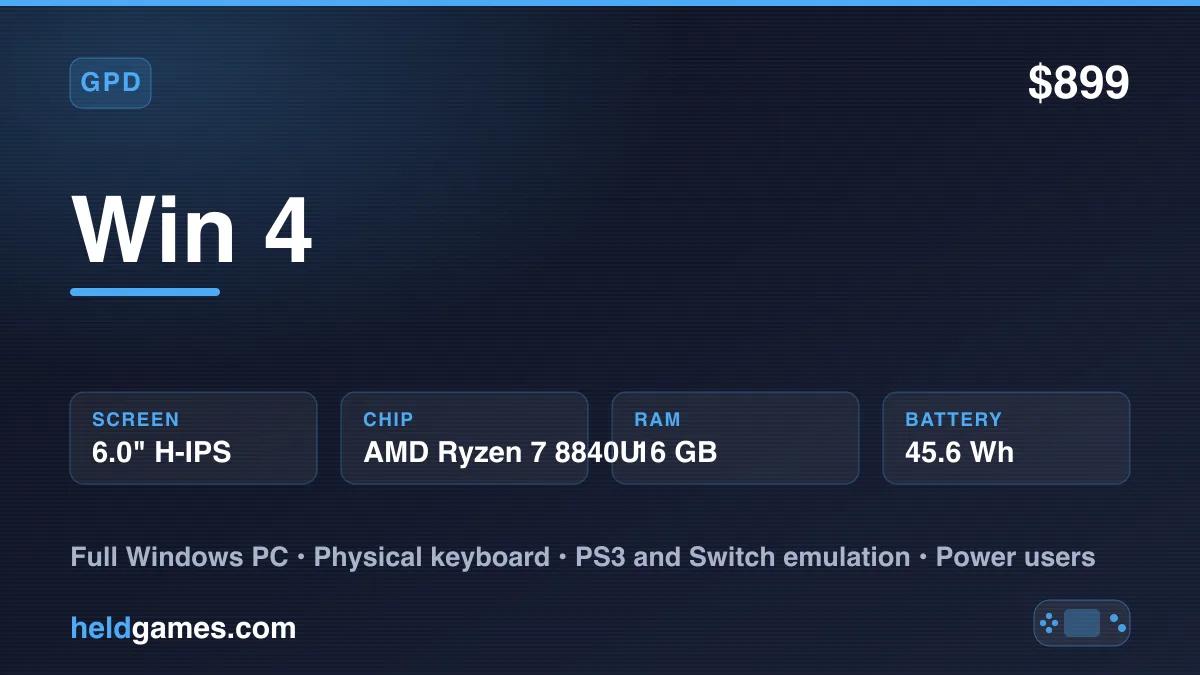
The GPD Win 4 is a Windows PC in a handheld body, with a twist. The screen slides up to reveal a full physical keyboard underneath, in the style of an old PSP Go. That keyboard, paired with a strong AMD chip and full Windows 11, makes the Win 4 one of the most flexible handhelds you can buy. It is also one of the more expensive.
✓ Pros
- • Full Windows 11, so any launcher, emulator, and PC game works
- • Slide up screen reveals a real physical keyboard
- • Strong AMD Ryzen performance for games and emulation
- • Emulates demanding systems through PS3 and Switch with the right software
- • Compact for a full PC handheld
- • Fast storage and high memory options
✗ Cons
- • Expensive, especially in higher configurations
- • Windows handhelds need more setup and tinkering than a console
- • Battery drains quickly under heavy load
- • Small body makes the keyboard cramped for real typing
Build and Design
The headline feature is the slider. The screen lifts up to expose a full QWERTY keyboard, which is genuinely useful for a Windows device. You can type commands, name files, and navigate the desktop without an on screen keyboard. The keys are small and cramped for long typing, but for quick input they are a real advantage.
The Win 4 is compact for a full PC handheld. The controls include analog sticks, face buttons, and shoulder triggers, plus extras like an optical pointer for mouse control. The build is solid and dense, and it feels like a premium device.
The other control worth knowing about is the optical pointer, a small touch sensitive pad that acts like a laptop trackpoint. It sounds like a gimmick. On a Windows device it is not. Desktop Windows constantly asks you to click things that were never designed for a gamepad, and the pointer means you can do that without a mouse or the touchscreen. Between the pointer and the keyboard, the Win 4 is the least frustrating Windows handheld to actually administer.
Which Model to Buy
This matters more than usual, because GPD has refreshed the Win 4 and both generations are still sold.
- The Ryzen 7 8840U model pairs with Radeon 780M graphics. It is the older configuration and the cheaper one, and it remains a strong performer.
- The 2025 refresh moves to the Ryzen AI 9 HX 370 with Radeon 890M graphics, a 12 core, 24 thread chip reaching around 5.1 GHz. The 890M is an RDNA 3.5 part and a meaningful step up over the 780M, particularly for modern PC games and the heavier emulators.
Both use the same 6 inch 1080p 60Hz screen and the same chassis. Configurations run up to 32 GB of LPDDR5X and 2 TB of storage.
Pricing spreads widely as a result. Older or lower configurations land near $899, while a fully specced 2025 model with 32 GB and 2 TB runs closer to $1,669. Check which chip a listing is actually selling before you buy, because the two generations look identical in photos.
If you want the highest emulation ceiling, especially for PS3 and Switch, the HX 370 is worth the premium. If you mostly play up to PS2 and GameCube and want to spend less, the 8840U is still plenty.
Display
The Win 4 uses a 6 inch 1080p LCD at 60Hz. It is sharp and bright, and the high resolution gives both modern PC games and upscaled emulation plenty of detail. The smaller screen size keeps the device compact, which is part of the appeal.
Worth noting that 1080p on a 6 inch panel is a lot of pixels for an integrated GPU to drive. For modern PC games you will often get better results rendering at 720p or 900p and letting the display scale, which frees up a surprising amount of performance. For emulation the high resolution is a straightforward win, since upscaled PS2 and GameCube output looks excellent on a dense panel.
Technical Specifications
| Screen | 6.0 inch LCD, 1920x1080 |
| Processor | AMD Ryzen 7 8840U (2024 model) |
| GPU | AMD Radeon 780M (integrated) |
| RAM | 16GB to 64GB LPDDR5X (config dependent) |
| Storage | NVMe SSD (M.2) + microSD |
| Battery | around 45Wh |
| OS | Windows 11 |
| Special | Slide up screen with full keyboard |
Performance and Emulation
Because the Win 4 runs full Windows, the emulation ceiling is whatever your PC emulator can do. With the AMD Ryzen chip, that ceiling is very high.
- Everything up to PS2 and GameCube: Excellent, often upscaled well beyond original resolution.
- Wii: Excellent.
- PSP and Dreamcast: Perfect.
- PS3: Playable on many titles with the right emulator and settings.
- Switch: Playable on many titles with tuning.
- Wii U: Playable on many titles.
For modern PC games, the Ryzen chip handles indie and older AAA titles well, and demanding new games run at lower settings. As always with these devices, frame the library around games you already own.
Windows and Setup
The Win 4 is a real PC, which is both its strength and its cost. You get every launcher, every emulator, and full desktop software. You also get the responsibility of setting it up. Expect to spend time installing emulators, tuning power settings, and configuring controls. Tools like Handheld Companion and emulation frontends help a lot. Once configured, the Win 4 is enormously capable.
The single most useful skill on a device like this is TDP tuning. TDP is the power ceiling you allow the chip to draw, and on a handheld it is the main dial you have. Set it high and you get maximum performance and roughly ninety minutes of battery. Set it low and a 2D emulator will run all afternoon.
A rough way to think about it:
- 8W to 10W suits everything through PS1, Dreamcast, and PSP. Quiet, cool, long battery.
- 15W is the sensible middle for GameCube, Wii, and most PS2 upscaling.
- 20W and above is for PS3, Switch, and modern PC games, and is where battery life falls off a cliff.
Set this per game rather than globally. It is the difference between a handheld that feels well behaved and one that is always hot and always dying.
Can It Run SteamOS or Bazzite?
Worth addressing, because a lot of people want off Windows.
SteamOS is not an option here. Valve's supported list covers the Steam Deck, Steam Machine, and Legion Go S officially, with enhanced support for the ROG Ally line, original Legion Go, and MSI Claw. GPD devices are not on it at all, and the Win 4's slider and keyboard are exactly the kind of unusual hardware that generic support tends to miss.
Bazzite is the realistic route. It is a Fedora based gaming OS that targets most x86_64 hardware including the GPD Win series, and it ships newer kernel and Mesa drivers than SteamOS does, which is what unusual hardware needs.
Be realistic about the trade. You gain a console style interface, better suspend behavior, and often better battery life. You lose the optical pointer's Windows drivers, some vendor button mappings, and anything using kernel level anti-cheat. On a device whose selling point is that it runs literally everything, giving up Windows compatibility is a real cost. Our SteamOS vs Bazzite vs Windows comparison walks through the decision.
For most Win 4 buyers, staying on Windows is the right call. You bought the most flexible handheld there is, so keeping the most compatible OS makes sense.
Thermals and Noise
The Win 4 packs a laptop class chip into a small slider body, and physics applies. Under sustained load the fan is clearly audible, and the body gets warm around the top edge where the exhaust sits.
This is normal for the category rather than a defect. It is worth knowing if you play in a quiet room or in bed next to someone. Headphones make it a non issue. Dropping the TDP as described above is the other lever, and it is remarkable how much quieter the device becomes at 10W versus 20W.
Battery Life
Battery life depends entirely on load, and the roughly 45Wh battery is small for the performance on offer.
Expect roughly:
- Five to six hours on 8 bit through PS1 emulation at a low TDP with modest brightness.
- Two to three hours on GameCube, Wii, and PS2 at a middling TDP.
- Ninety minutes or less on modern PC games or PS3 and Switch emulation at full power.
This is normal for a powerful x86 handheld and it is the honest cost of the performance. A high output USB-C power bank helps a great deal here, and the Win 4 wants at least 45W to keep up during a demanding session. Our power bank guide covers sizing one properly.
GPD Win 4 vs the Win Mini
If you are choosing within the GPD line, the difference is the form factor. The GPD Win Mini is a clamshell with a larger 7 inch screen and a keyboard built into the base. The Win 4 is a slider with a smaller 6 inch screen and a keyboard hidden under the display. Both are powerful Windows handhelds. The choice comes down to which shape and screen size you prefer.
Who Is This For?
The GPD Win 4 is a great fit for:
- Power users who want a full Windows PC in a handheld
- Emulation enthusiasts chasing PS3, Switch, and Wii U
- People who value a physical keyboard on a portable device
- PC gamers who want a compact, flexible machine
It is the wrong device for anyone who wants a simple console experience, a low price, or all day battery life.
Final Verdict
The GPD Win 4 is a powerful, flexible Windows handheld with a clever slide up keyboard. It does almost anything a small PC can do, including high end emulation, and the keyboard is a genuine asset. The price, the setup work, and the battery under load are the costs of that power.
If you want the most flexible handheld possible and you are comfortable with Windows, the Win 4 is a strong and distinctive choice. Its clamshell sibling, the GPD Win Mini, trades the slider for a laptop hinge, and our premium Windows handhelds guide and best handhelds for PS3 emulation show where the Win 4 lands in the wider field.
Frequently Asked Questions
How much does the GPD Win 4 cost?
It depends heavily on the chip and configuration. Older Ryzen 7 8840U models start near $899, while a fully specced 2025 refresh with the Ryzen AI 9 HX 370, 32 GB of RAM, and 2 TB of storage runs closer to $1,669. Check which generation a listing is selling, since both look identical.
What is the difference between the GPD Win 4 models?
The original uses a Ryzen 7 8840U with Radeon 780M graphics. The 2025 refresh uses a Ryzen AI 9 HX 370 with Radeon 890M, a 12 core chip that is meaningfully faster, especially for PS3, Switch, and modern PC games. The screen and chassis are unchanged.
Can the GPD Win 4 emulate PS3 and Switch?
Many titles, yes, with per game tuning. Both are demanding and results vary by title. The 2025 HX 370 model handles them noticeably better than the 8840U version.
Does the GPD Win 4 keyboard actually work for typing?
For short input, yes. Typing commands, naming files, and entering passwords is far easier than using an on screen keyboard. The keys are small and cramped, so it is not a device for writing a document.
Can I install SteamOS on the GPD Win 4?
Not officially. GPD devices are not on Valve's supported hardware list. Bazzite is the practical Linux option, since it ships newer kernel and graphics drivers that cover a much wider range of hardware.
How long does the GPD Win 4 battery last?
Roughly five to six hours on light retro emulation at a low TDP, two to three hours on GameCube and PS2, and under ninety minutes on modern PC games at full power. TDP tuning is the main lever.
Is the GPD Win 4 fan loud?
Under sustained heavy load, yes, it is clearly audible. Lowering the TDP quiets it substantially, and headphones make it a non issue.
Related Reading
Related reading
 ReviewReviewReview