
Affiliate disclosure: This guide contains affiliate links. As an Amazon Associate, we earn from qualifying purchases at no extra cost to you. Learn more.
Batteries wear out. After a couple of years a handheld holds less charge, and sometimes a battery swells, which you should never ignore. The fix is a battery swap, and on most devices it is very doable. The one thing that sets this mod apart is safety, because lithium batteries deserve respect. This guide walks through doing it right.
We frame all of this around maintaining hardware you own.
Affiliate disclosure: This page contains affiliate links. As an Amazon Associate, we earn from qualifying purchases at no extra cost to you.
When to Replace the Battery
- Runtime dropped a lot. A battery that lasted eight hours now lasts three.
- It will not hold a charge. The device dies quickly or shuts off unexpectedly.
- The battery is swollen. This is a safety issue. Stop using the device and replace it promptly.
A swollen battery can be seen as a bulging back shell or a screen pushed up at the edges. Do not puncture it and do not keep charging it.
If your battery is just tired rather than swollen, our battery health guide covers habits that extend its life first.
Choosing a Replacement
- Match the connector and size. Buy a battery listed for your exact model. The plug and physical dimensions must match.
- Match or slightly exceed the capacity. A battery with the same or modestly higher capacity is ideal. A much larger battery may not fit and can stress the charging circuit.
- Buy quality. A reputable cell is safer and lasts longer than the cheapest option.
Look for a
that names your model. For Anbernic devices, the official store sometimes stocks the correct cell.What You Need
- The correct replacement battery for your model
- A precision screwdriver set, often PH00 or PH000
- Plastic pry tools to open the shell
- Tweezers and a plastic spudger
- A safe surface away from flammable materials
The
covers the tools. Avoid using anything metal to pry near the battery.Step by Step
- Power off and remove storage. Turn the device fully off and take out the microSD cards.
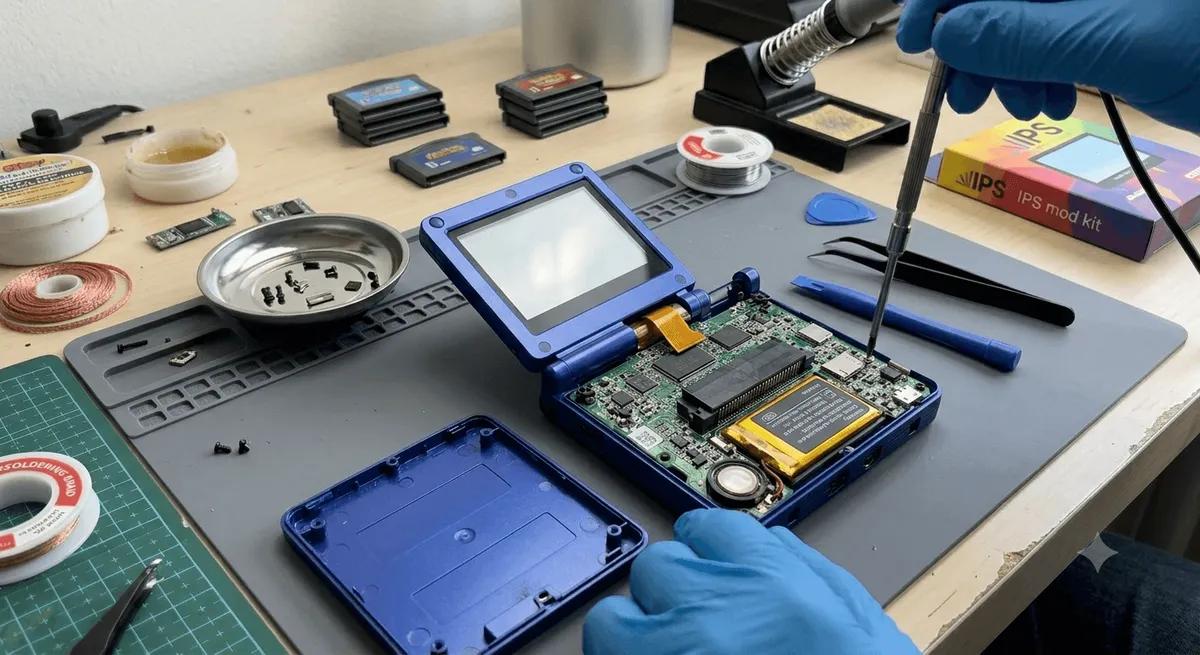
- Open the shell. Remove the back screws and gently pry the halves apart. Watch for ribbon cables. Our shell swap guide covers this in detail.
- Locate the battery. Note how it is seated and how the connector is oriented.
- Disconnect the old battery. Unplug the connector by holding the plug, not the wires. Never pull on the wires.
- Free the battery. It is often held by light adhesive. Use a plastic tool to lift it slowly. Do not use anything metal and do not bend or puncture it.
- Seat the new battery. Place it in the same spot and route the wires the same way so nothing gets pinched.
- Connect the new battery. Plug the connector in fully, matching the original orientation.
- Test before closing. Power on and confirm the device boots and reads the new battery.
- Close it up. Reconnect any ribbon cables, press the shell together, and replace the screws.
Safety Rules That Matter
- Never puncture or bend a lithium battery. It can catch fire.
- Use only plastic tools near the cell. Metal can short it.
- Handle a swollen battery with extra care. Do not charge it, and recycle it properly.
- Do not store loose batteries near metal objects.
- Recycle the old battery. Take it to a battery recycling drop-off, not the trash.
After the Swap
Charge the device fully, then run it down and charge again to help the gauge calibrate. Runtime should return to near its original level. If the device does not detect the battery, reopen and reseat the connector.
When to Skip the Mod
If the battery is glued in a way that risks puncturing it, or you are not comfortable working near a lithium cell, take the device to a repair shop. There is no shame in letting a pro handle a battery you are unsure about.
The Bottom Line
A battery swap restores a handheld to like-new runtime, and it is a manageable mod if you respect the safety rules. Match the battery to your model, use plastic tools, and never force or puncture the cell. For prevention, read our battery health guide, and for the disassembly basics, see our shell swap guide.
Related reading
 GuideGuideGuide