
Affiliate disclosure: This guide contains affiliate links. As an Amazon Associate, we earn from qualifying purchases at no extra cost to you. Learn more.
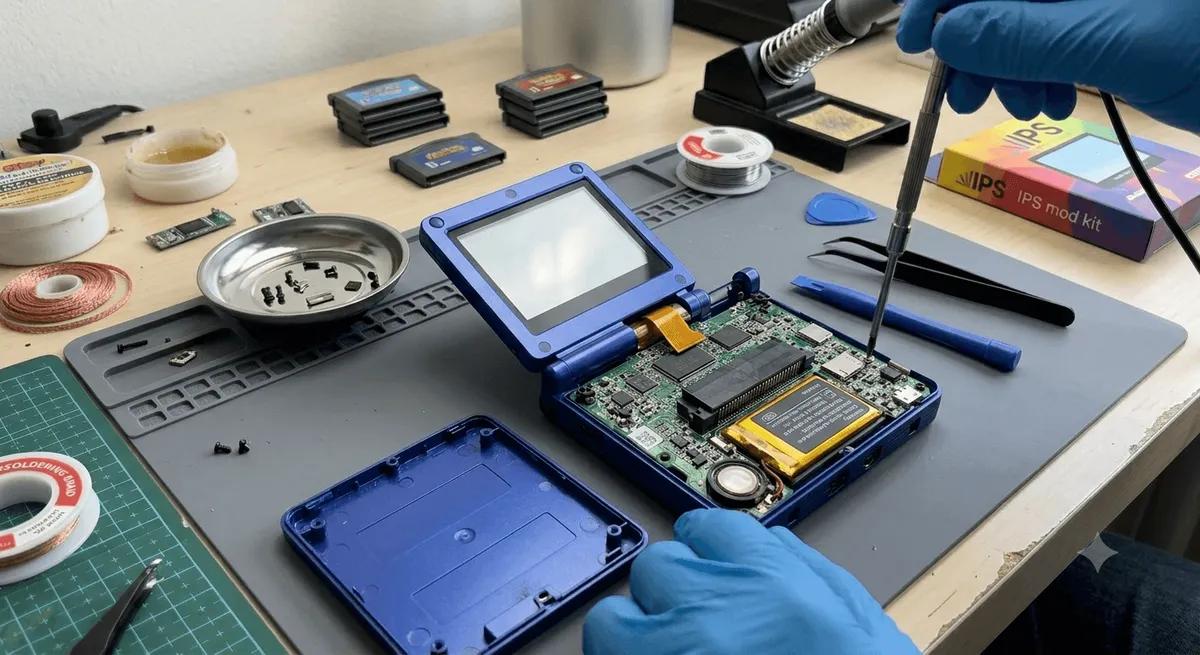
A cracked front glass or a dim, low quality panel can ruin an otherwise great handheld. Both are fixable. This is the most delicate mod in the common toolkit, because screens use fragile ribbon cables and the glass is easy to crack further. But with patience it is very doable, and the payoff is a device that looks and reads like new. This guide covers screen and glass swaps, plus the popular laminated screen mod.
We frame all of this around maintaining hardware you own.
Affiliate disclosure: This page contains affiliate links. As an Amazon Associate, we earn from qualifying purchases at no extra cost to you.
Glass vs Panel vs Lamination
Know which job you are doing before you start.
- Front glass or lens. Some devices have a separate clear cover over the panel. If only this is cracked and the display works, you replace just the glass, which is easier.
- The display panel. If the picture is broken, dim, or has dead lines, the panel itself needs replacing. This is more involved.
- Laminated screen mod. This bonds the glass and panel together with adhesive to remove the air gap. It improves contrast and reduces glare, making the screen look much nicer. It is an upgrade, not a repair.
If you are new to opening devices, read our beginner's modding guide and shell swap guide first.
What You Need
- The correct replacement glass or panel for your exact model
- A precision screwdriver set and plastic pry tools
- Tweezers and a plastic spudger
- A heat source like a hair dryer to soften adhesive, used gently
- For lamination, optical adhesive or a pre-cut adhesive sheet made for the mod
Find a
listed for your device, and the for the tools. Match the part to your model precisely, since panels and connectors vary.Replacing Front Glass
This is the easier job when the display still works.
- Power off and remove storage.
- Warm the glass edges gently with a hair dryer to soften the adhesive. Do not overheat.
- Lift the old glass slowly with a plastic pick from a corner. Go slow to avoid cracking it further.
- Clean the surface of old adhesive with isopropyl alcohol so the new glass sits flat.
- Apply the new glass with its adhesive, lining it up before it sticks. Press out any bubbles.
- Let it set before use so the adhesive cures.
Replacing the Display Panel
This is the delicate one. Take your time with the ribbon cable.
- Open the shell following our shell swap guide.
- Locate the screen ribbon cable and note how its connector latches.
- Release the connector latch and gently free the ribbon. Never pull on the cable itself.
- Free the panel from its adhesive or bracket, warming it gently if needed.
- Seat the new panel in the same position and route its ribbon the same way.
- Connect the ribbon fully and lock the latch. This is the most fragile step.
- Test before closing. Power on and check for a clean, full image with no lines.
- Close it up and replace the screws.
The Laminated Screen Mod
Lamination removes the air gap between glass and panel for a richer image. It is rewarding but unforgiving, since trapped dust or bubbles show permanently.
- Work in a clean, dust-free space. Even small specks get sealed in.
- Use adhesive made for the mod. Optical adhesive or a pre-cut sheet for your model.
- Align carefully and press out bubbles. You usually get one good attempt.
- Accept the risk. If lamination goes wrong, you may need a new glass or panel.
Because it is permanent and finicky, lamination is best for confident modders. The visual gain is real, but so is the risk.
Common Pitfalls
- Torn screen ribbon. The biggest risk. Always release the latch first and never pull the cable.
- Cracking the new glass. Apply even, gentle pressure.
- Trapped dust in lamination. Work clean and inspect before bonding.
- Wrong part. Panels are model specific. Buy for your exact device.
After the Swap
Power on and check the full screen in a bright and a dark scene. Look for dead pixels, lines, or uneven backlight. Add a fresh screen protector to keep your new glass safe, using our screen protector guide.
The Bottom Line
A screen or glass swap brings a tired handheld back to life, and a laminated mod makes a good screen great. Glass alone is beginner friendly, while a panel swap or lamination rewards patience and a steady hand. For the rest of your modding journey, see our guides on shell swaps, battery replacement, and shoulder buttons.
Related reading
 GuideGuideGuide